

An SBOM is only useful if it’s up to date. A hand-generated snapshot from last quarter might still satisfy a procurement checkbox, but it won’t tell you whether a new CVE affects your current production build.
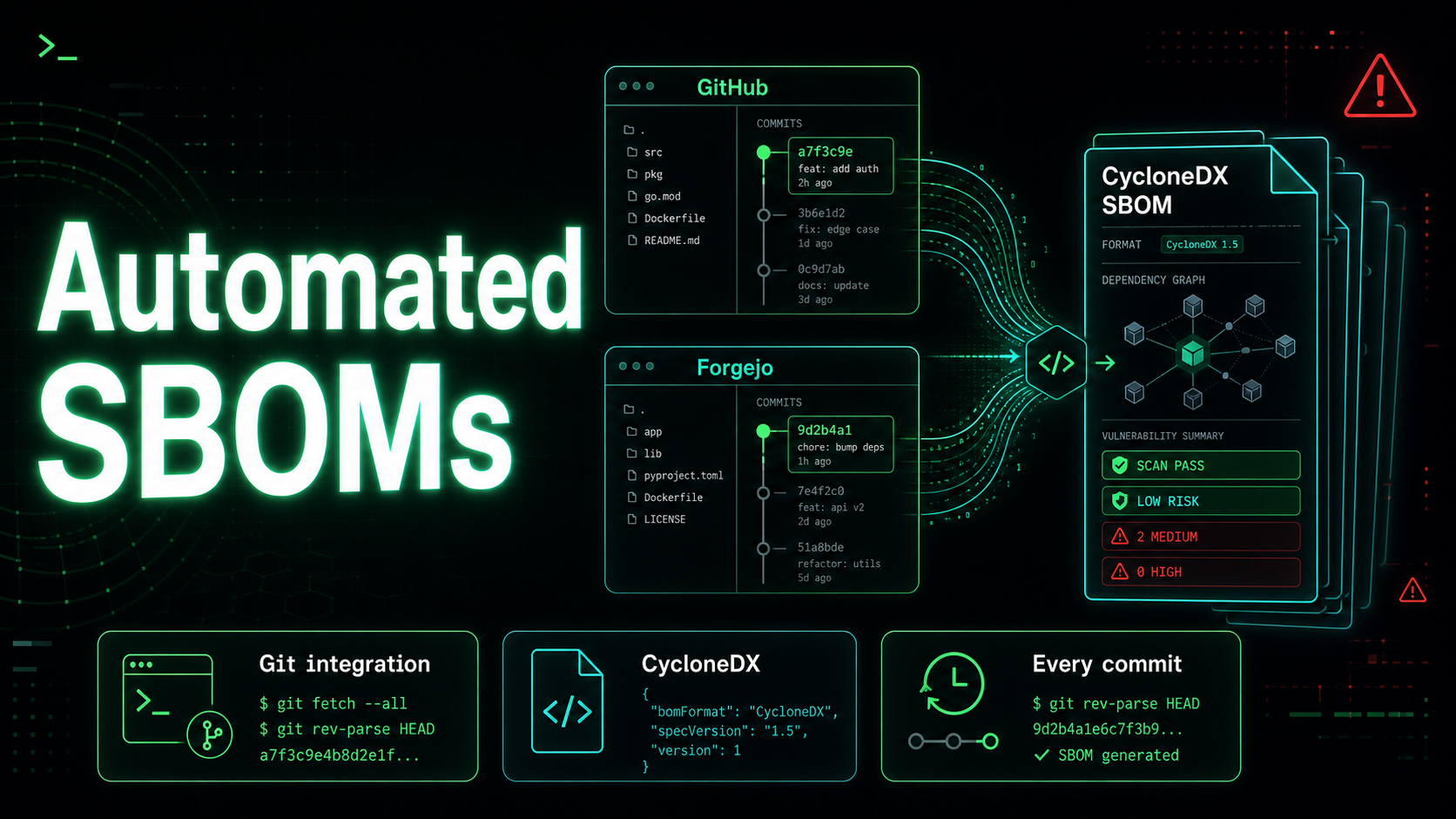
The only reliable approach is to generate SBOMs continuously — on every meaningful change to your dependencies. boring.tools makes this straightforward by connecting directly to your Git repositories.
How it works
The flow has three steps:
- Connect a Git provider — GitHub (via OAuth App) or Forgejo (via PAT or OAuth)
- Browse your repositories and link them to projects in boring.tools
- SBOMs are generated automatically — every ~30 minutes, the system checks for new commits and enqueues a fresh SBOM
No changes to your CI pipeline. No additional tools to install. No manual export steps.
Connecting a provider
GitHub
Navigate to Integrations in your organization dashboard and select GitHub. You’ll be guided through the GitHub OAuth App authorization flow:
- boring.tools requests read-only access to code and metadata
- Repositories are listed but never modified
- Access can be revoked at any time from your GitHub settings
Forgejo
Forgejo connections support two authentication methods:
Personal Access Token — create a token with repo:read scope in your Forgejo instance and paste it into boring.tools. The token is stored encrypted and used to authenticate API requests.
OAuth — register boring.tools as an OAuth application in your Forgejo instance. Provide the client ID and client secret, and users are redirected through the standard OAuth flow.
Both methods support self-hosted Forgejo instances — just provide the base URL of your instance.
Linking repositories to projects
Once a provider is connected, you can browse its repositories directly in the boring.tools UI. For each repository, you choose which project it belongs to and which branch to scan.
Repository linking is many-to-many: a repository can feed into multiple projects, and a project can aggregate SBOMs from multiple repositories.
The scan branch defaults to the repository’s default branch, but you can override it per repository — useful if you want to scan a staging or release branch instead of main.
Automatic SBOM generation
Every connected repository is polled approximately every 30 minutes. When a new commit is detected on the configured scan branch, boring.tools:
- Clones the repository (shallow, single-branch)
- Detects the package manager from the lockfile
- Generates a CycloneDX 1.6 SBOM using Syft
- Scans the SBOM against the local OSV vulnerability mirror
- Updates the project dashboard with any new findings
Supported ecosystems and lockfiles:
| Ecosystem | Lockfile / Manifest |
|---|---|
| npm | package-lock.json |
| Bun | bun.lock |
| pnpm | pnpm-lock.yaml |
| Go | go.sum |
| Python (Poetry) | poetry.lock |
| Python (pip) | requirements.txt |
| Rust | Cargo.lock |
| Java / Maven | pom.xml |
If boring.tools doesn’t detect a supported lockfile, the repository is noted but skipped — no error, no false SBOM.
Manual triggers
Automatic polling covers the steady-state case, but sometimes you want an SBOM right now — before merging a pull request, after a dependency update, or when investigating a CVE alert.
Every linked repository has a “Generate SBOM” button. Clicking it queues an immediate scan, bypassing the poll interval. Results appear in the project’s SBOM list within seconds to minutes, depending on repository size.
Scan runs and history
Each SBOM generation is recorded as a scan run with:
- Trigger type: Auto (poll) or Manual (user action)
- Commit SHA and branch
- Start and end timestamps
- Vulnerability counts: total found, new since last scan, resolved since last scan
- A link to the generated SBOM
New CVEs introduced by a commit are highlighted in red; resolved ones in green. At a glance, you can see whether a deployment reduced or increased your risk profile.
Delta tracking across commits
Because every commit produces a new SBOM, boring.tools can compare scans over time. The vulnerability trend chart in each project shows how your risk profile evolves across commits — not just the latest snapshot.
This is useful for catching regressions: a dependency update that introduces 15 new CVEs is visible immediately, not when a quarterly audit discovers them.
Getting started
Connect your first repository from the Integrations page. If you use GitHub, the OAuth flow takes about 30 seconds. If you use Forgejo, you’ll need a PAT or an OAuth app registration — about two minutes.
Once connected, link a repository to a project and the first SBOM is generated within the next poll cycle — or instantly if you click the manual trigger.